
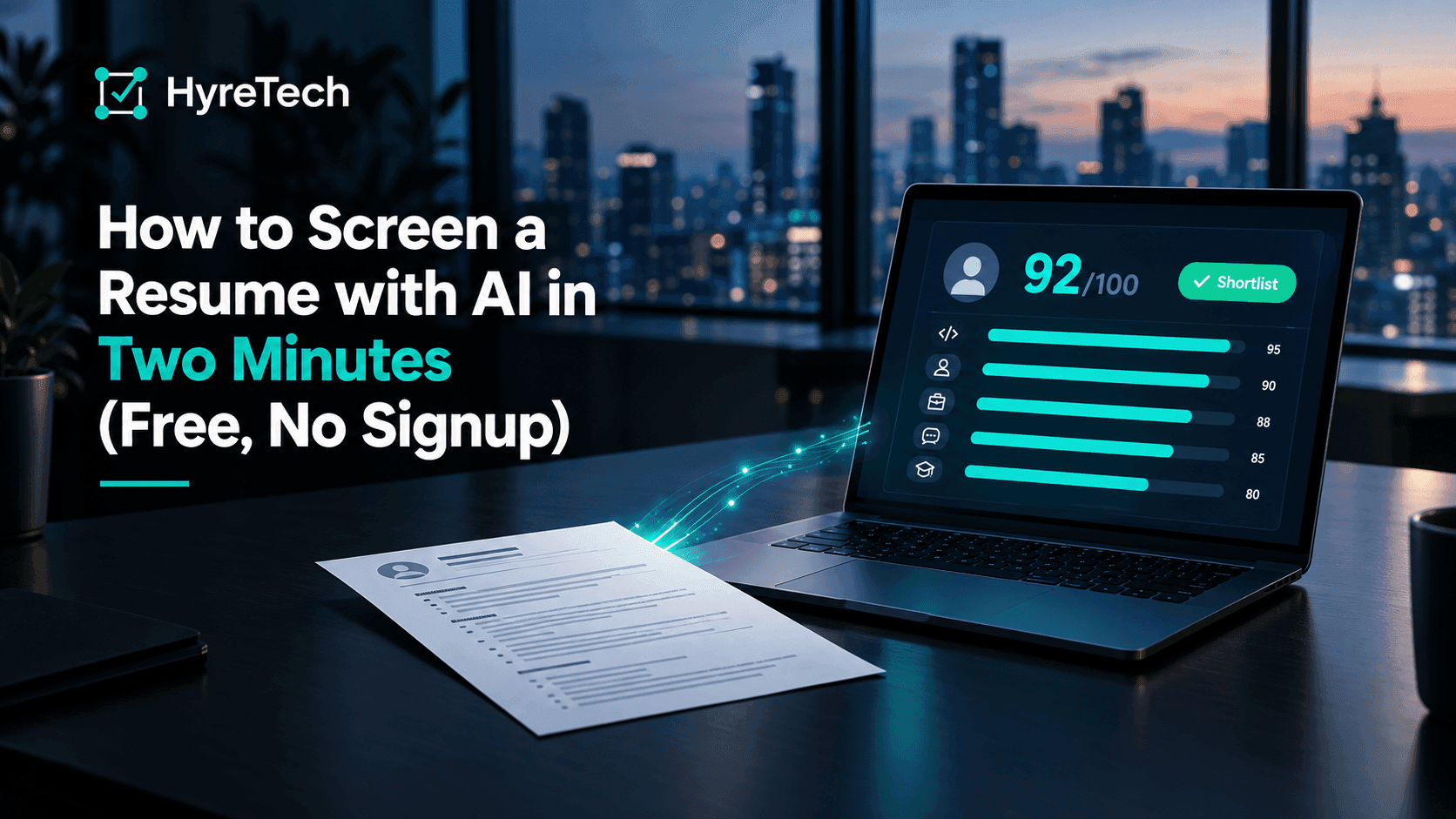
AI resume screening sounds like it needs a procurement cycle. It does not. Below is the whole process on one resume, using our free resume screener: no account, three runs a day, and the file is deleted within a day. If you have a job description and a PDF open right now, you can follow along in the time it takes to read this.
Step 1: pick the closest role family
The screener asks for a role family first: backend engineer, frontend engineer, product designer, sales representative or operations associate. The family sets the rubric, meaning the five criteria the resume is scored on. Your own job description, pasted in the next step, is what the reasoning is written against. Pick the nearest family even if your title differs; a "platform engineer" opening is a backend role for scoring purposes.
Step 2: paste the job description
Paste the real thing, not a summary. The model reads it to decide what "matches" means. For the worked example I used this:
Senior Backend Engineer for a payments platform. You will design and run Go and Node.js services on GCP, own PostgreSQL data modelling and query performance, be on call for the payments domain, and drive testing, observability and CI/CD. We need 5+ years of backend experience, strong SQL, Kubernetes and Terraform, and a track record of leading incident response.
Anything under forty characters is rejected, and the ceiling is ten thousand, so a full posting fits.
Step 3: upload the resume
One PDF, up to five megabytes. For the example I used a fictional sample resume we ship inside the product: Dimas Prasetyo, roughly nine years of backend work across Go, Node.js and Python, with GCP, Kubernetes and Terraform in the recent roles. It is the kind of resume a Jakarta or Singapore payments company would see for this posting.
Click "Score this resume". The analysis usually takes a minute or two, because the model reads the entire document rather than matching keywords.
Step 4: read the scorecard
Here is what came back.
| Overall | 92 / 100 |
| Verdict | Shortlist (shortlist from 75, consider from 60) |
| Criterion | Score |
|---|---|
| Technical qualifications | 95 |
| Engineering practices | 95 |
| Work experience | 90 |
| Problem-solving | 90 |
| Collaboration | 85 |
Each criterion carries a paragraph of reasoning. For collaboration, the lowest of the five, the model wrote that the candidate had reviewed around 300 pull requests a year and mentored four engineers, and that leading incident response and blameless post-mortems suggested effective teamwork under pressure. The score is 85 rather than higher because the evidence is indirect: the resume shows outcomes of collaboration, not descriptions of it.
Below the criteria, the scorecard lists what matched and what did not:
- Matches the role: every requirement in the posting, from Go and Node.js on GCP to Kubernetes, Terraform and leading incident response, was found in the resume.
- Missing: nothing flagged.
- Strengths: advanced proficiency in Go, Node.js and Python; extensive PostgreSQL, GCP, Kubernetes and Terraform; a monolith-to-microservices migration; mentorship and code review.
- Gaps: no explicit mention of Node.js services on GCP in the most recent role, and security work was limited to OWASP reviews.
That last section is the part worth reading twice. A single number tells you where a resume sits in a pile. The gaps tell you what to ask in the first interview.
How to read a scorecard without being fooled by it
Three habits keep AI resume screening honest.
Read the reasoning, not the number. A 92 with weak reasoning is worse than a 78 with specific, checkable claims. If the paragraph says "strong experience" without naming a system, a year or an outcome, treat the score with suspicion.
Check the gaps against the resume yourself. In the example, the model was right that the most recent role did not mention Node.js on GCP. Whether that matters is your call. The model surfaces the question; it does not answer it.
Watch for resumes written for the model. Inside the full product, on Growth and above, every candidate also gets a verification confidence from 0 to 100 that estimates how well the resume's claims hang together, separate from how well they match the job. The help article on what a trust score flags shows what a low score looks like on a strong-looking resume.
Where the free screener stops
The free tool is the real pipeline with three deliberate limits. It scores one resume at a time, it uses one of five fixed rubrics rather than a rubric built from your job description, and it caps at three runs a day. That is enough to judge whether the output is useful and not enough to run a hiring round on.
Inside a HyreTech workspace, the differences are:
- The rubric is generated from your own job description and you can edit the criteria and weights. The help article on how weights become a score shows the arithmetic.
- Every applicant is scored automatically, whether they applied through your job page, were uploaded as a batch of PDFs, or were imported from your existing ATS.
- Candidates are ranked against each other. On Growth and above, the verification confidence sits beside every score.
The free plan includes one active role and 20 credits, where one credit is one resume analysis, so a small round can run without paying. Plans and top-ups are on the pricing page, and the first-role walkthrough shows what the first ten minutes look like.
Try it now
Open the free resume screener, paste a posting, upload one PDF and read the reasoning. If it reads like a colleague's notes, create a free workspace and run it on the whole pile.
FAQ
Is the free screener the real AI or a demo? It is the same analysis pipeline our customers use, run against one of five fixed role rubrics. Only the rubric and the daily cap differ from the full product.
What happens to the resume I upload? The file is deleted automatically within a day, the screening record is purged after 24 hours, and the result shown to you contains no names or contact details from the file. The privacy policy describes how extracted text is handled.
How accurate is AI resume screening? In our experience it is a reliable first read: it finds what is and is not in a resume faster than a person does. It is not a hiring decision. Read the reasoning, check the gaps and interview the top of the list.
How many resumes can I screen for free? Three a day on the no-signup tool. A free workspace adds 20 credits, one per resume, plus one active role.